At Ebí, family comes first.
Shop NowAt Ebí, family comes first.
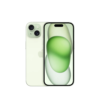
Shop NowDesigned by Apple to complement iPhone 15, the Silicone Case with MagSafe is a delightful way to protect your iPhone.
The silky, soft-touch finish of the silicone exterior feels great in your hand. And on the inside, there’s a soft microfiber lining for even more protection.
With built-in magnets that align perfectly with iPhone 15, this case offers a magical attach experience and faster wireless charging, every time. When it’s time to charge, just leave the case on your iPhone and snap on your MagSafe charger, or set it on your Qi2 or Qi-certified charger.
Like every Apple-designed case, it undergoes thousands of hours of testing throughout the design and manufacturing process. So not only does it look great, it’s built to protect your iPhone from scratches and drops.
The 85W MagSafe 2 Power Adapter features a magnetic DC connector so if someone trips over it, the lead disconnects harmlessly and your MacBook Pro stays put safely. It also helps prevent fraying or weakening of the cables over time. In addition, the magnetic DC helps guide the plug into the system for a quick and secure connection.
When the connection is secure, an LED located at the head of the DC connector lights up; an amber light lets you know that your notebook is charging, while a green light tells you that you have full charge. An AC lead is provided with the adapter for maximum lead length, while the AC wall adapter (also provided) gives you an even easier and more compact way to travel.
Designed to be the perfect travelling companion, the adapter has a clever design that allows the DC cable to be wound neatly around itself for easy cable storage.
This power adapter recharges the lithium polymer battery while the system is off, on or in sleep mode. It also powers the system if you choose to operate without a battery.
Compatible with MacBook Pro with Retina display.
See this article for more details about choosing the right one.
Knowing which specific Mac model you have is important. If you are running OS X Lion (10.7) or later, go to the “” menu at the top left of your screen, choose “About this Mac” then click the “More Info...” button. Your Mac model and generation will be displayed.
If you are running an earlier version of OS X, you can enter your serial number here to find out which model you have.
With the Lightning to USB 3 Camera Adapter, it’s easy to transfer photos and videos from your high-resolution digital camera to your iPad Pro. After you connect the Lightning to USB 3 Camera Adapter, your iPad Pro automatically opens the Photos app, which lets you choose photos and videos to import, then organizes them into albums.
Add even greater capability and versatility to your iPad Pro by powering the Lightning to USB 3 Camera Adapter with a USB Power Adapter. Then you can connect USB peripherals like hubs, Ethernet adapters, audio/MIDI interfaces, and card readers for CompactFlash, SD, microSD, and more.
The Lightning to USB 3 Camera Adapter supports standard photo formats, including JPEG and RAW, along with SD and HD video formats, including H.264 and MPEG-4. The 12.9-inch iPad Pro (1st and 2nd generation) and 10.5-inch iPad Pro transfers data at USB 3 speeds, while the 9.7-inch iPad Pro uses USB 2.
Amazing deals made just for you
Round the clock customer service
No delays in our delivery service
Your payment options are protected
Are you here for the Ebí games challenge? Tap start and I'll take you straight to the live competition page.