At Ebí, family comes first.
Shop NowShop the Smart Way
Electronics
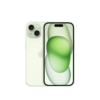
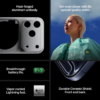
Designed by Apple to complement iPhone 15, the Silicone Case with MagSafe is a delightful way to protect your iPhone.
The silky, soft-touch finish of the silicone exterior feels great in your hand. And on the inside, there’s a soft microfiber lining for even more protection.
With built-in magnets that align perfectly with iPhone 15, this case offers a magical attach experience and faster wireless charging, every time. When it’s time to charge, just leave the case on your iPhone and snap on your MagSafe charger, or set it on your Qi2 or Qi-certified charger.
Like every Apple-designed case, it undergoes thousands of hours of testing throughout the design and manufacturing process. So not only does it look great, it’s built to protect your iPhone from scratches and drops.
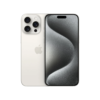
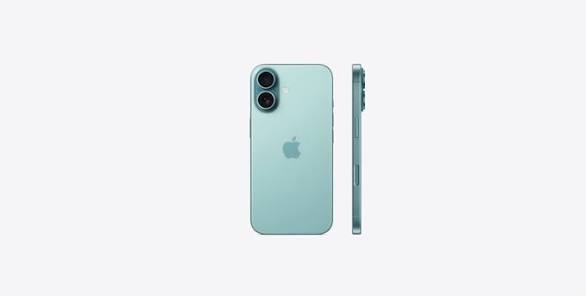
- Originally released September 2024
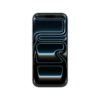
- 6.9-inch (diagonal) Super Retina XDR display
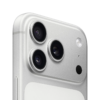
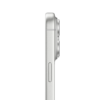
- Titanium with textured matte glass back
- Action button
- Apple Intelligence
- A18 Pro chip
- Camera Control
- Pro camera system
- Visual intelligence, to learn about your surroundings⁸
- Latest-generation Ceramic Shield front, tougher than any smartphone glass
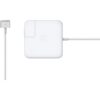
The 85W MagSafe 2 Power Adapter features a magnetic DC connector so if someone trips over it, the lead disconnects harmlessly and your MacBook Pro stays put safely. It also helps prevent fraying or weakening of the cables over time. In addition, the magnetic DC helps guide the plug into the system for a quick and secure connection.
When the connection is secure, an LED located at the head of the DC connector lights up; an amber light lets you know that your notebook is charging, while a green light tells you that you have full charge. An AC lead is provided with the adapter for maximum lead length, while the AC wall adapter (also provided) gives you an even easier and more compact way to travel.
Designed to be the perfect travelling companion, the adapter has a clever design that allows the DC cable to be wound neatly around itself for easy cable storage.
This power adapter recharges the lithium polymer battery while the system is off, on or in sleep mode. It also powers the system if you choose to operate without a battery.
Compatible with 15- or 17-inch MacBook Pro.
Not sure if this is the right power adapter for your Mac?
See this article for more details about choosing the right one.
Knowing which specific Mac model you have is important. If you are running OS X Lion (10.7) or later, go to the “” menu at the top left of your screen, choose “About this Mac” then click the “More Info...” button. Your Mac model and generation will be displayed.
If you are running an earlier version of OS X, you can enter your serial number here to find out which model you have.
The USB-C Digital AV Multiport Adapter lets you connect your USB-C–enabled Mac, iPad, or iPhone to an HDMI display, while also connecting a standard USB device and a USB-C charging cable.
This adapter allows you to mirror your USB-C–enabled Mac, iPad, or iPhone to your HDMI-enabled TV or display.
3840x2160 at 60Hz on:
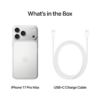
iPhone 17, iPhone 17 Pro, iPhone 17 Pro Max, iPhone 16, iPhone 16 Plus, iPhone 16 Pro, iPhone 16 Pro Max, iPhone 15, iPhone 15 Plus, iPhone 15 Pro, iPhone 15 Pro Max, iPad Pro 13‑inch (M5), iPad Pro 11‑inch (M5), iPad Pro 13‑inch (M4), iPad Pro 11‑inch (M4), iPad Air 13‑inch (M3), iPad Air 11‑inch (M3), iPad Air 13‑inch (M2), iPad Air 11‑inch (M2), iPad Air (5th generation), iPad Pro 11‑inch (4th generation), iPad Pro 12.9‑inch (3rd generation and later), MacBook Pro (16‑inch, 2019), MacBook Pro (15‑inch, 2017 and later), MacBook Pro (13‑inch, four Thunderbolt 3 ports, 2020), MacBook Air (2020), iMac (Retina 5K, 27‑inch, 2017 and later), iMac (Retina 4K, 21.5‑inch, 2017 and later), and iMac Pro (2017 and later).
1080p at 60Hz or UHD (3840 by 2160) at 30Hz on:
iPad Air (4th generation), MacBook Air (2018 and later), MacBook Pro (13-inch, 2016 and later), MacBook Pro (15-inch, 2016), iMac (non-Retina, 21.5‑inch, 2017), and Mac mini (2018)
Simply connect the adapter to a USB-C or Thunderbolt 3 (USB-C) connector on your Mac, iPad, or iPhone and then to your TV or projector via an HDMI cable (sold separately).
Use the standard USB port to connect devices such as your flash drive or camera or a USB cable for syncing and charging your iOS devices. You can also connect a charging cable to the USB-C port to charge your Mac, iPad, or iPhone.
Opportunity Deals
Amazing deals made just for you
Customer Service
Round the clock customer service
On time Delivery
No delays in our delivery service
Secure payment methods
Your payment options are protected