At Ebí, family comes first.
Shop NowAt Ebí, family comes first.
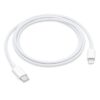
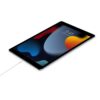
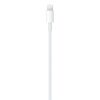
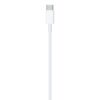
Shop NowConnect your device with Lightning connector to your USB-C or Thunderbolt 3 (USB-C) enabled device for syncing and charging, or to your USB-C enabled iPad for charging.
You can also use this cable with your Apple 18W, 20W, 29W, 30W, 61W, 87W or 96W USB‑C Power Adapter to charge your iOS device and even take advantage of the fast-charging feature on select iPhone and iPad models.
With the Lightning to USB 3 Camera Adapter, it’s easy to transfer photos and videos from your high-resolution digital camera to your iPad Pro. After you connect the Lightning to USB 3 Camera Adapter, your iPad Pro automatically opens the Photos app, which lets you choose photos and videos to import, then organizes them into albums.
Add even greater capability and versatility to your iPad Pro by powering the Lightning to USB 3 Camera Adapter with a USB Power Adapter. Then you can connect USB peripherals like hubs, Ethernet adapters, audio/MIDI interfaces, and card readers for CompactFlash, SD, microSD, and more.
The Lightning to USB 3 Camera Adapter supports standard photo formats, including JPEG and RAW, along with SD and HD video formats, including H.264 and MPEG-4. The 12.9-inch iPad Pro (1st and 2nd generation) and 10.5-inch iPad Pro transfers data at USB 3 speeds, while the 9.7-inch iPad Pro uses USB 2.
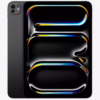
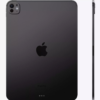
iPad Pro. The ultimate iPad experience.
iPad Pro. Built for Apple Intelligence. It’s impossibly thin, featuring outrageous performance with the Apple M4 chip, a breakthrough Ultra Retina XDR display, and superfast Wi-Fi 6E and 5G. Along with Apple Pencil Pro and Magic Keyboard, it brings endless versatility, creativity, and productivity to your fingertips.
The USB-C Digital AV Multiport Adapter lets you connect your USB-C–enabled Mac, iPad, or iPhone to an HDMI display, while also connecting a standard USB device and a USB-C charging cable.
This adapter allows you to mirror your USB-C–enabled Mac, iPad, or iPhone to your HDMI-enabled TV or display.
iPhone 17, iPhone 17 Pro, iPhone 17 Pro Max, iPhone 16, iPhone 16 Plus, iPhone 16 Pro, iPhone 16 Pro Max, iPhone 15, iPhone 15 Plus, iPhone 15 Pro, iPhone 15 Pro Max, iPad Pro 13‑inch (M5), iPad Pro 11‑inch (M5), iPad Pro 13‑inch (M4), iPad Pro 11‑inch (M4), iPad Air 13‑inch (M3), iPad Air 11‑inch (M3), iPad Air 13‑inch (M2), iPad Air 11‑inch (M2), iPad Air (5th generation), iPad Pro 11‑inch (4th generation), iPad Pro 12.9‑inch (3rd generation and later), MacBook Pro (16‑inch, 2019), MacBook Pro (15‑inch, 2017 and later), MacBook Pro (13‑inch, four Thunderbolt 3 ports, 2020), MacBook Air (2020), iMac (Retina 5K, 27‑inch, 2017 and later), iMac (Retina 4K, 21.5‑inch, 2017 and later), and iMac Pro (2017 and later).
iPad Air (4th generation), MacBook Air (2018 and later), MacBook Pro (13-inch, 2016 and later), MacBook Pro (15-inch, 2016), iMac (non-Retina, 21.5‑inch, 2017), and Mac mini (2018)
Simply connect the adapter to a USB-C or Thunderbolt 3 (USB-C) connector on your Mac, iPad, or iPhone and then to your TV or projector via an HDMI cable (sold separately).
Use the standard USB port to connect devices such as your flash drive or camera or a USB cable for syncing and charging your iOS devices. You can also connect a charging cable to the USB-C port to charge your Mac, iPad, or iPhone.
Amazing deals made just for you
Round the clock customer service
No delays in our delivery service
Your payment options are protected
Are you here for the Ebí games challenge? Tap start and I'll take you straight to the live competition page.